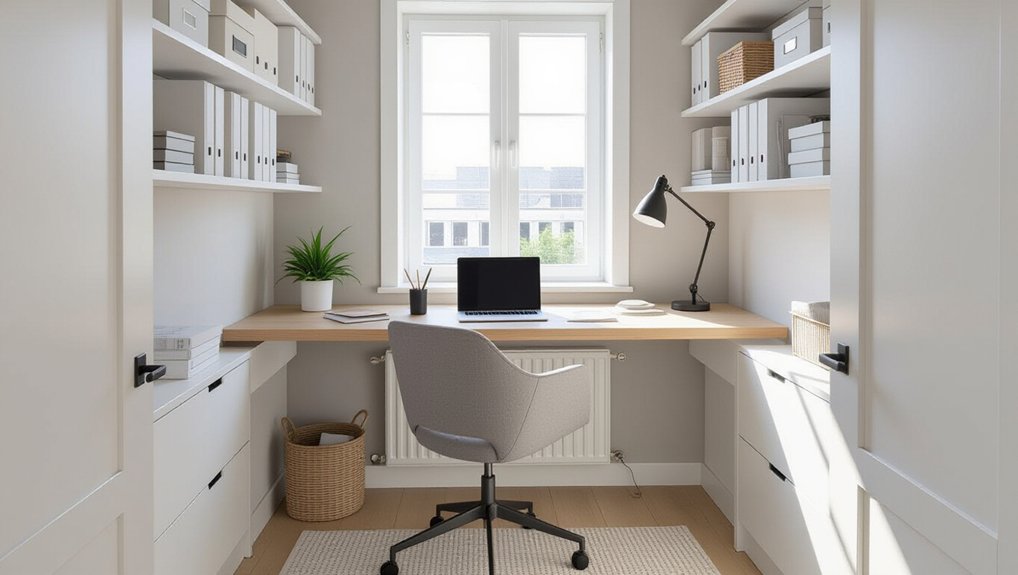
Start by measuring wall-to-wall width, ceiling height, and every door swing, window, radiator, and socket, then sketch clearances: 60–75cm behind your chair and 90cm walkways. Pick a layout that suits daylight and circulation—wall run, window-facing with screens perpendicular to glare, or a corner setup. Choose a slim desk and compact ergonomic chair, build vertical closed storage, add diffused task lighting, and hide cables in under-desk trays and trunking. Next, you’ll fine-tune cooling, privacy, and calm décor.
Key Takeaways
- Measure the room and sketch a layout, keeping 60–75cm behind the chair and 90cm walkways for comfortable circulation.
- Choose a desk and layout (wall run, window-facing, or corner) based on priorities like dual screens, calls, and glare control.
- Use a slim adjustable task chair and vertical closed storage (wall cabinets, floating shelves, rolling cart) to reduce clutter and save floor space.
- Layer diffused task and dimmable ambient lighting, and manage cables with under-desk trays, trunking, Velcro wraps, and labeled leads.
- Control heat and noise with blinds, fans, unblocked vents, draft seals, rugs, and a muted matte palette plus one plant for calm focus.
Measure Your Box Room and Set Priorities
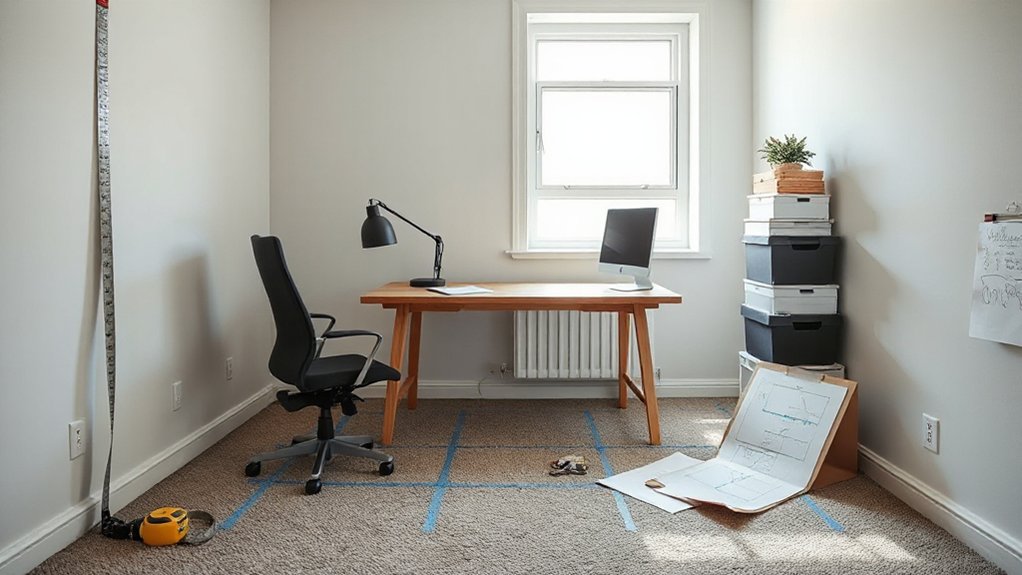
Before you buy a desk or shuffle furniture, measure the room precisely—wall-to-wall widths, ceiling height, door swing, window placement, and radiator or socket locations—then sketch a quick plan so you can see what actually fits. Mark clearances: 60–75cm behind your chair, 90cm for a comfortable walkway, and enough depth for monitor distance. Decide your non-negotiables: focused work, calls, or dual-screen setup, then size the desk accordingly. List Storage solutions you’ll actually use—vertical shelves, shallow drawers, wall rails—so paperwork doesn’t steal floor space. Note your lighting options early: daytime glare, task lamp reach, and ceiling fixture position. Prioritize cable paths and plug access, and you’ll avoid messy compromises later.
3 Layout Plans for a Box Room Office
With your measurements, clearances, and non-negotiables mapped out, you can now choose a layout that makes the room feel intentional rather than improvised. Plan 1: The “Wall Run” puts your work zone on the longest uninterrupted wall, keeping circulation clean and letting you center art or a pinboard above.
Plan 2: The “Window Focus” faces you toward daylight, so screens sit perpendicular to glare. Add Creative storage with shallow shelves, rail systems, and a rolling caddy that tucks under open space.
Plan 3: The “Corner Command” uses two adjoining walls for a wraparound workflow: monitor zone on one side, writing zone on the other. Finish with ergonomic furniture—adjustable chair, footrest, and compact task lighting—to keep posture and sightlines dialed in.
Choose a Desk Size That Actually Fits
Because a box room punishes oversized furniture fast, your desk size has to match the room’s tight clearances and your daily workflow—not a standard “home office” template. Measure wall-to-door swing, radiator depth, and your chair-pull zone, then leave at least 60 cm behind you for clean movement.
Pick a desktop depth that supports desk ergonomics: 55–65 cm works for a laptop plus notes; 70–80 cm suits a monitor at arm’s length without crowding your wrists. Keep width honest—100–120 cm fits most tasks, while 80–90 cm forces focus and reduces clutter. Choose slim legs or a trestle base to keep sightlines open, and match finishes to your workspace aesthetics so the room feels intentional, not cramped.
Add Slim, Supportive Seating for Long Days
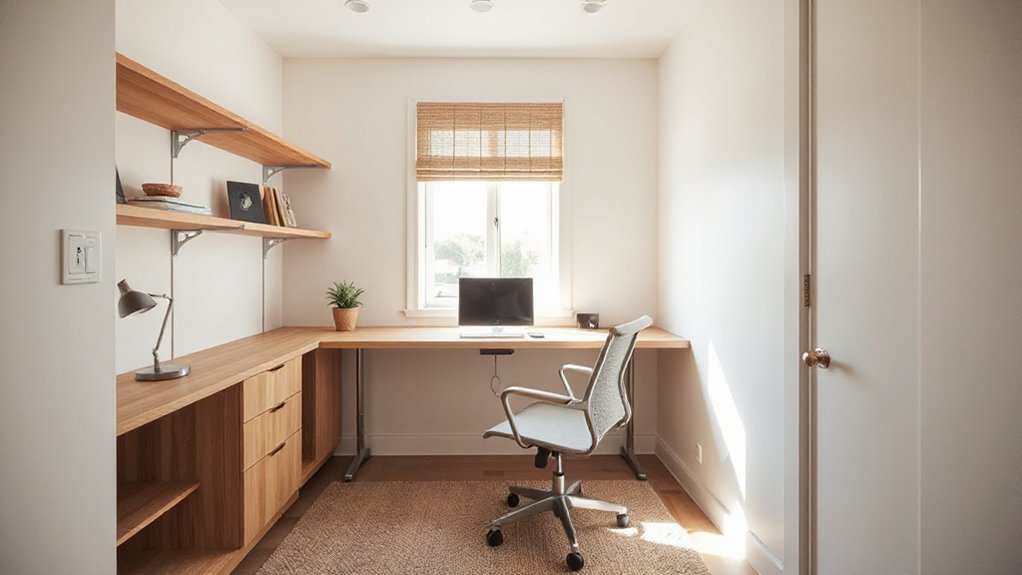
Although a box room can’t spare floor space, you still need a chair that supports you for hours without visually or physically crowding the layout. Choose a slim-profile task chair with a narrow base, low arms, and a breathable back so light passes through and the room feels bigger. Prioritize ergonomic comfort: adjustable seat height, firm lumbar support, and a gentle waterfall edge that doesn’t cut circulation. If wheels overwhelm the footprint, pick compact casters or a gliding base that won’t snag rugs. Keep your seating options cohesive with the room’s palette—matte black, pale oak, or soft gray reads tidy and intentional. Check the chair’s depth so you can tuck it fully under the desk, keeping walkways clear.
Build Storage Into Your Box Room Office
Once you’ve set your desk and chair, bake storage into every “dead” surface so the room stays calm instead of cluttered. Go vertical first: mount wall cabinets to the ceiling line, then add slim floating shelves for reference books and display pieces. Choose closed-front units in a single finish to keep visual noise down, and use matching boxes to corral cables, stationery, and files.
Treat the door and corners as assets. Hang an over-door rail for headphones and planners, and slot a narrow tower unit beside the desk for paper trays. For flexible storage solutions, use drawer dividers and a rolling cart that tucks under the worktop. Need shelving ideas? Try a picture ledge above the monitor for notebooks, and a pegboard strip for tools and chargers.
Set Up Lighting That Won’t Glare on Screens
Pick diffused task lighting that softens hotspots and keeps your screen crisp. Place lamps beside your monitor—not behind it or aimed at it—so you cut reflections and eye strain. Then add adjustable ambient light (dimmable ceiling, wall, or strip) to balance brightness across the room without washing out the display.
Choose Diffused Task Lighting
Because harsh overhead bulbs bounce off monitors and tire your eyes fast, you’ll get a cleaner, more comfortable setup by using diffused task lighting aimed where you work—not where you look. Pick a lamp with an opal shade, frosted diffuser, or fabric drum so the beam spreads evenly and won’t create hot spots on glossy desks.
Choose warm-neutral LEDs (2700–3500K) with high CRI (90+) so paper, samples, and skin tones read true. Add dimming to fine-tune contrast as daylight shifts, and aim for soft illumination that keeps shadows gentle without flattening everything. If you’re tight on space, go for a clamp or slim arm with a wide head; it delivers diffused lighting without visual bulk. Keep cords tucked for a crisp finish.
Position Lights Beside Screens
Diffused task lighting works best when you place it where it won’t bounce straight back at you. Set your lamp to the side of your monitor, not behind it and not directly in front. Aim the shade downward and slightly forward so the beam hits your keyboard and notes, not the screen.
Use strategic placement: if you’re right-handed, put the light on your left to prevent your writing hand casting shadows; reverse it if you’re left-handed. Keep the bulb level just above eye line, then angle it away from your viewing cone. If you see hot spots, shift the lamp a few inches outward or lower it. You’ll keep an ambient glow on the desk while your display stays clean.
Add Adjustable Ambient Illumination
When overhead fixtures feel too harsh, add a dimmable ambient layer that you can tune independently of your task lamp and monitor. Choose a slim floor lamp with an uplight head or a plug-in wall sconce, then aim light at the ceiling to soften shadows and stop screen glare.
Use warm-neutral LEDs (around 3000–3500K) for calm color without yellowing paper. Put everything on a dimmer or smart plug so you can dial adjustable brightness for day, dusk, and late work. Keep the source out of your sightline: tuck it behind the monitor, beside a bookcase, or in the room’s far corner. Add a small LED strip along the back wall or shelf lip for extra Ambient lighting that reads as intentional, not cluttered.
Hide Cables in a Box Room Office
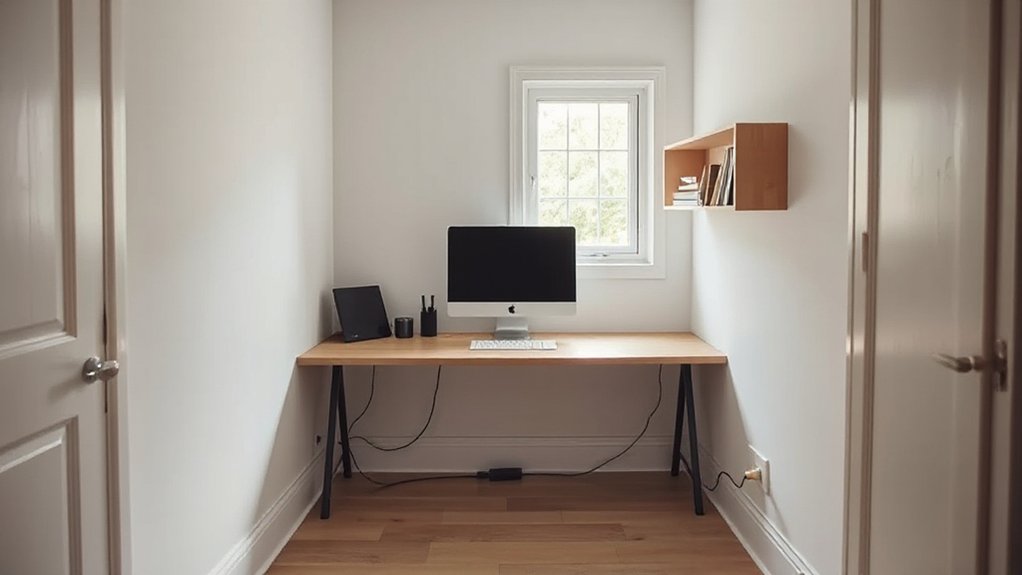
In a box room office, you can’t afford cable sprawl, so hide runs fast with slim cable-management trunking along skirting boards or desk edges. Route power and data under the desk with adhesive clips, a wire tray, and short, labeled leads to keep everything tight and reachable. You’ll free up legroom, reduce dust traps, and make the setup look intentional rather than improvised.
Cable Management Trunking
Where do all those monitor, router, and charger leads go once you’ve squeezed a desk into a box room? Cable management trunking gives them a clean, intentional route, so your office reads tidy, not temporary. Choose slim PVC or paintable metal trunking that matches skirting or wall colour, then run it vertically to a socket line and horizontally behind the desk edge. Use adhesive-backed sections for rentals, or screw-fix for permanence; keep corners crisp with mitre cuts and clip-on elbows. Size matters: leave 30–40% spare capacity for future gear, even if you’re leaning on wireless solutions and ergonomic accessories. Add a snap-on lid so you can swap cables fast, and label both ends for instant troubleshooting later.
Under-Desk Wire Routing
Cable trunking keeps runs neat on the wall, but the real visual win happens under the desktop. Start your under desk wire routing by fixing a slim cable tray or wire basket to the underside, centered behind your monitor line. Mount a power strip inside it, not on the floor, so plugs don’t sprawl.
Route each lead along the shortest path: up from the tray to devices, then back down in a gentle loop for strain relief. Use adhesive tie mounts and Velcro wraps, not zip ties, so you can reconfigure fast. Label both ends of every cable and bundle by function: power, data, audio. Finish with a single drop to the wall trunking for a clean, box-room-ready silhouette.
Reduce Noise and Add Privacy in a Box Room
Although a box room feels like the perfect tucked-away workspace, its thin walls and tight footprint can turn every hallway footstep and household conversation into a distraction—so you’ll want to control sound and sightlines early. Start with soundproofing materials that look intentional: a dense rug pad under a flatweave, felt tiles behind your monitor, and draft seals around the door to stop sound leaks. Swap a hollow door for a solid-core if you can, or add a slim door sweep and heavier hinges for a tighter close.
For privacy, angle your desk away from the doorway and use privacy screens that match your palette—ribbed glass, cane, or fabric panels. Add a lined curtain on a ceiling track to hide visual clutter fast. Keep finishes matte to reduce glare.
Keep Your Box Room Office Cool and Fresh
You’ll keep a box room office comfortable by optimizing airflow: crack the window, add a quiet desk fan, and don’t block vents with furniture. Control solar gain with cooling window treatments—reflective film, blackout or thermal blinds, or lined curtains—so the room doesn’t heat up fast. Cut equipment heat by using LED lighting, enabling sleep modes, and relocating chargers, routers, and bulky PCs away from your desk.
Optimize Airflow And Ventilation
When your box room office traps warm air and stale smells, your focus drops fast. Start by clearing the airflow path: keep the door gap unobstructed, pull furniture a few inches off walls, and avoid stacking boxes near vents. Place a quiet desk fan to push air across the room, not straight at you, so airflow circulation feels even and drafts don’t distract.
Crack the window when weather allows, then create cross-breeze by opening the door for five minutes each hour. If you’ve got HVAC, open registers fully, vacuum grilles monthly, and replace filters on schedule. In rooms without ducting, choose compact ventilation systems like an inline extractor or a through-wall fan, sized to your room’s cubic volume.
Choose Cooling Window Treatments
Even a small window can turn a box room office into a heat trap, so treat it like a controllable heat source. Start by checking exposure: south- and west-facing glass needs stronger shading than north-facing. Pick window treatment options that block infrared while keeping the room polished—cellular shades with a foil lining, solar roller blinds (3–5% openness), or light-filtering Roman shades with a thermal backing.
For softer looks, choose cooling curtain styles: tightly woven linen-look blackout panels, pale colors to reflect light, and a ceiling-mounted track to seal gaps. Hang curtains wide and high so they clear the frame and stack off-glass. Add a slim magnetic or Velcro side seal for extra heat control without bulk.
Reduce Heat From Equipment
Because a box room traps warmth fast, your biggest “radiator” often isn’t the window—it’s your gear. Start with placement: don’t jam towers, docks, or chargers into tight cubbies; give them breathing space and keep vents facing open air. Elevate laptops on a stand, then add a slim USB fan to push heat away from the keyboard deck. Tame equipment overheating by cleaning intakes monthly, replacing clogged filters, and keeping cables off vents. Use heat reduction techniques that look tidy: a ventilated monitor riser, a perforated laptop shelf, and a cable tray that routes bricks away from your legs. Switch to low-power LED task lighting and set devices to sleep aggressively. Consider an external SSD over a hot spinning drive.
Colour, Plants, and Décor That Aid Focus
Although your box room’s footprint stays the same, the right colour palette, a few well-placed plants, and pared-back décor can make it feel calmer and keep your attention where it belongs. Start with muted color schemes: warm whites, soft greige, or pale sage to reduce visual noise; add one dark accent (charcoal shelf, inky pinboard) to anchor the view. Keep finishes matte to cut glare from screens and task lights. Choose plant types that stay compact and forgiving: pothos on a high shelf, a ZZ plant in a slim pot, or a snake plant beside the desk to frame your work zone. Limit décor to one art print and a small tray for pens; hide cables and skip cluttered open shelving.
Frequently Asked Questions
How Much Does It Cost to Convert a Box Room Into an Office?
You’ll typically spend £500–£3,000 to convert a box room into an office, depending on finishes. You’ll save with smart decorating ideas, while built-in storage solutions, lighting, paint, desk, and wiring push costs higher.
Do I Need Planning Permission or Landlord Approval for a Box Room Office?
You usually don’t need planning permission for internal changes, but you’ll need landlord approval if you rent. Check building regs for wall insulation and electrics. Choose safe lighting options, and get a qualified electrician.
What Internet Speed Is Recommended for Video Calls in a Small Office?
Like a clear window, you’ll want 10–20 Mbps down and 3–5 Mbps up per caller; double for HD. Meet Bandwidth requirements, then do Wi Fi optimization: Ethernet, router close, 5 GHz, congestion-free.
How Can I Make a Box Room Office Feel Less Claustrophobic?
You’ll make it feel less claustrophobic by maximizing natural lighting, mounting a mirror, and choosing light color schemes. Use slim, wall-mounted furniture, keep sightlines clear, add vertical storage, and limit decor to cohesive accents.
What Are the Best Ways to Add Power Outlets Safely in a Box Room?
You’ll add outlets safest by hiring a licensed electrician, extending circuits from a suitable breaker, and using RCD/GFCI protection. Prioritize Electrical safety: avoid daisy-chained strips. Plan outlet placement at desk height, corners, and cable routes.
Conclusion
You’ve measured, planned, and edited your box room down to what matters: a desk that fits, a chair that supports, storage that disappears, and cables that don’t shout. You’ve softened noise, claimed privacy, and kept air moving so you can think. Finish with a calm colour, one good plant, and a lean décor palette. Now, when you shut the door, you’re in a focused cockpit—like filing reports by candlelight, only faster.
About the Author