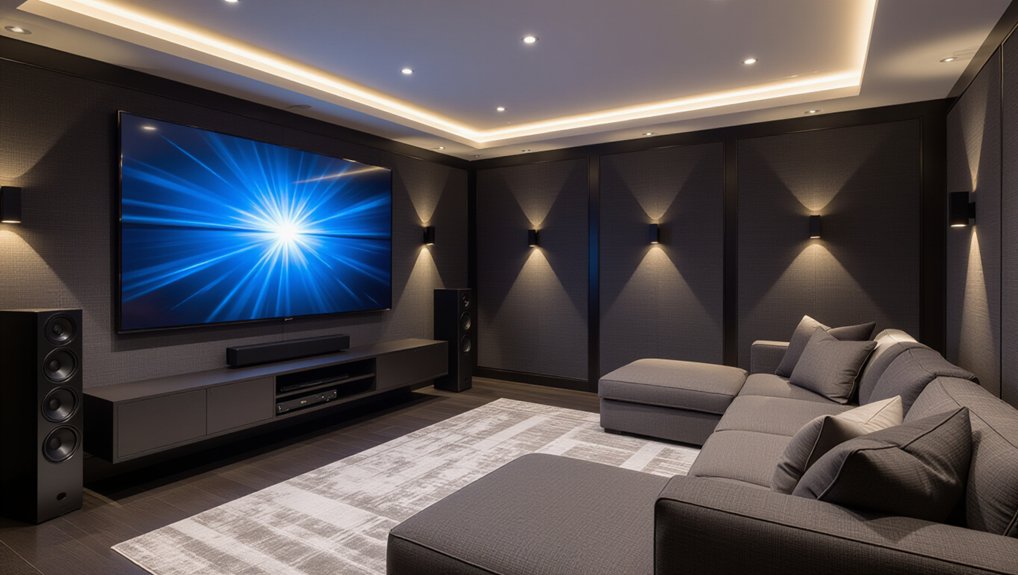
You’ll get an immersive media room faster if you lock in seating and screen geometry first: center the main seats on the screen midline, set eye height near the screen’s vertical center, and verify viewing distance with a tape measure. Put the screen on the shortest wall, keep aisles shoulder-width, and control light early with blackout shades and dimmers. Choose a 4K TV for bright rooms or a projector for 100–140 inches. Next, you’ll refine speaker angles, Atmos height, acoustics, and cable paths.
Key Takeaways
- Plan room layout with centered seating, clear sightlines, and measured viewing distance to match screen size and comfort.
- Choose TV or projector based on ambient light, desired screen size, and 4K/HDR needs for sharp, immersive visuals.
- Place speakers to spec: L/R 22–30°, surrounds 90–110°, add rears for 7.1, and ceiling heights for Atmos at ~45° elevation.
- Reduce glare and improve sound with blackout shades, dimmable lighting, dark matte surfaces, rugs, and absorption panels at first reflections.
- Conceal and label wiring in conduit or raceways, leave service slack, and use soundproofing where possible to cut noise leakage.
Plan the Layout, Viewing Distance, and Screen
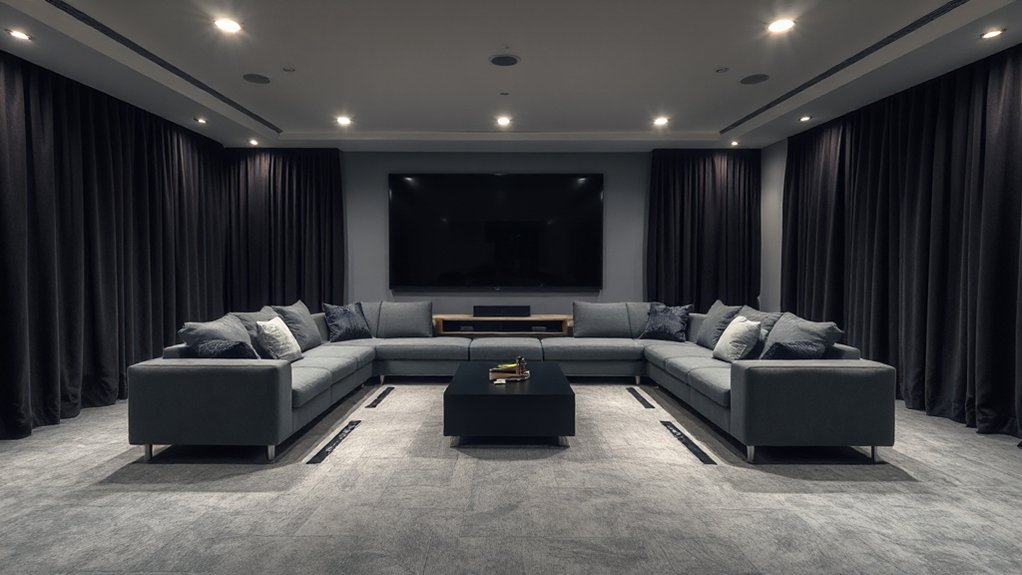
Before you buy a display or run a single cable, lock in the room’s geometry: where the main seats go, where the screen can live, and how people will move through the space. Start with a Seating arrangement that centers every primary listener on the screen’s midline and preserves clear sightlines over heads. Set your first row so your eyes land near the screen’s vertical center, then confirm viewing distance with a quick tape-measure mockup from seat back to screen plane. Keep aisles at least shoulder-width so entries don’t block the image. Place the screen on the shortest wall when possible to reduce reflections and improve symmetry. Build Lighting control early: dimmable zones, wall sconces off-axis, and no fixtures in the screen’s reflection path.
Choose TV vs Projector and Resolution Needs
Once you’ve locked in seat-to-screen distance and controlled stray light, you can choose between a TV and a projector by matching the display’s strengths to your room’s brightness, screen size, and usage patterns. For high ambient lighting or daytime sports, a TV’s higher sustained brightness, deeper blacks, and punchier HDR deliver more consistent contrast. If you want a 100–140-inch image, a projector scales screen size affordably, but it demands tighter light control and a quality, gain-matched screen. Choose 4K as your baseline; at typical viewing distances, 1080p looks soft above ~100 inches. Prioritize HDR format support and wide color gamut, but remember HDR impact collapses when ambient lighting rises. Verify input lag if you game.
Place Speakers for 5.1, 7.1, and Atmos
With your screen choice and viewing geometry set, lock in speaker placement so dialogue anchors to the image and effects pan cleanly across seats. For 5.1, put L/R at 22–30° from center, tweeters at ear height, and center aimed at your nose. Place surrounds at 90–110°, 1–2 ft above ear level; set the sub along the front wall, then crawl-test for smooth bass.
For 7.1, add rear surrounds at 135–150°, matched height and distance. For Atmos, mount in-ceilings at 45° elevation (top fronts at ~65° azimuth, top rears at ~125°), or use height modules only with flat, reflective ceilings. Finish with Speaker calibration: levels, delays, crossover, and verify polarity. Apply Soundproofing techniques so placement stays stable.
Stop Glare, Improve Acoustics, and Hide Cables
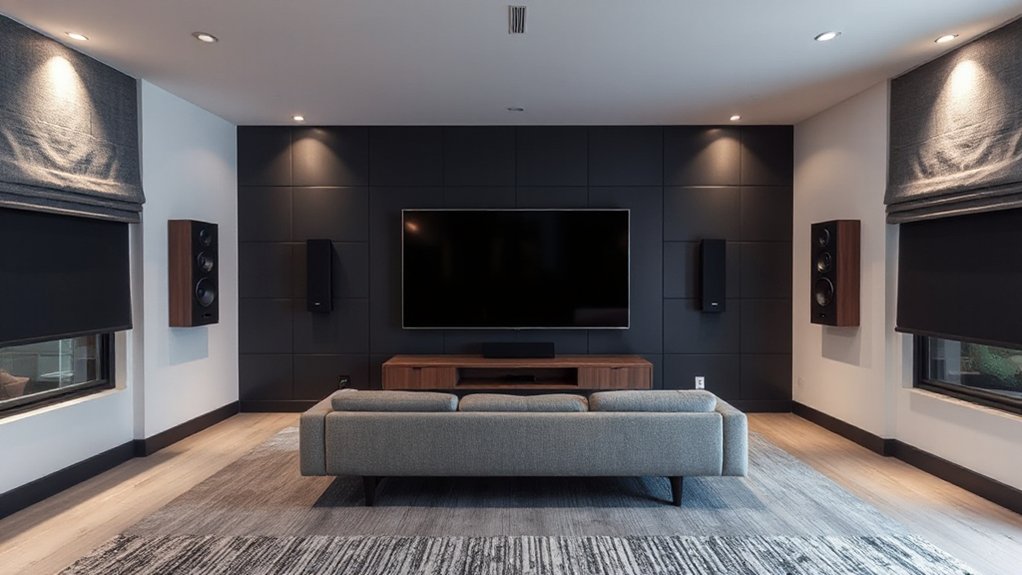
Although your speaker angles and levels might measure perfectly, glare, reflections, and visible wiring can still make the room feel “off” and distract you during real content. Start with Lighting control: put all fixtures on dimmers, add blackout shades, and aim cans away from the screen. Use matte paint (dark, low-sheen) on the front wall and ceiling to kill hotspot reflections, and place a thick rug to tame floor bounce. For acoustics, add 2–4″ absorption panels at first-reflection points, plus bass traps in front corners; you’ll hear tighter dialogue and smoother bass. Make furniture selection work for you: choose fabric seating, not leather, and avoid glass tables. Hide cables in in-wall conduit or raceways, label both ends, and leave service slack.
Frequently Asked Questions
What’s the Ideal Room Temperature and Ventilation for Long Movie Sessions?
Keep the room at 20–22°C (68–72°F) with 40–55% RH, and supply 6–8 ACH of quiet fresh air. You’ll manage heat buildup, and your soundproofing options and acoustic treatments won’t trap stuffiness.
Do I Need a Dedicated Electrical Circuit for AV Equipment?
Yes, you’ll usually want a dedicated circuit if your amp, sub, and display draw significant load. It improves Electrical safety, preserves Circuit capacity, reduces voltage sag, trips, and audible hum under peaks.
How Can I Control Lighting and Equipment With a Universal Remote or App?
You can control lighting and gear by pairing a universal remote/app with Smart home integration hubs and Wireless control systems, then mapping scenes, macros, and IR/RF/IP commands. You’ll automate dimming, power, inputs, and volume.
What Internet Speed and Wiring Are Best for 4K Streaming and Gaming?
Aim for 300+ Mbps down and 20+ up; you’ll stream 4K smoothly yet keep latency low. Run Cat6/6A to every console/TV and use wired backhaul. Add Acoustic treatments and precise Speaker placement.
How Should I Choose Seating Types and Riser Height for Multiple Rows?
Choose reclining seats with firm lumbar support, wide armrests, and durable upholstery for Seating comfort. Set risers by sightlines: calculate eye height to clear heads, then fine-tune via Riser height adjustment for screen centerline.
Conclusion
You’ve dialed in the layout, set viewing distance, and matched screen size to your room’s geometry, so every seat lands in the sweet spot. You’ve chosen TV or projector with resolution, HDR, and brightness that won’t leave details “unavailable.” You’ve placed 5.1, 7.1, or Atmos speakers with measured angles and calibrated levels, so imaging stays “well-behaved.” You’ve tamed glare, softened reflections, and tucked cables out of sight—nothing “distracts.”
About the Author